Inspect the receipt
See authentication, mapping, and delivery outcomes. Delivered means the trigger reached Shopify Flow; check downstream actions in Flow.
Read a receipt → FlowRelay
FlowRelay for Shopify Flow
Connect your warehouse, forms, or automation tools to the workflows in your store. Authenticate the message, choose the data Flow needs, and verify the handoff.
Start with Free/Test. Keep your workflow logic in Shopify Flow.
From message to workflow
Create an endpoint and choose authentication that your sending service supports.
Select incoming fields or use an advanced JSONata expression. Preview a synthetic message before saving.
Use the matching trigger and generated instructions. Send a test, check its receipt, then verify the Shopify action.
Data your workflow can use
Pass text, numbers, lists, and nested objects as custom data. The generated Shopify Run code recipe makes those values available to conditions and actions.
Need a calculation or a different structure? JSONata is the advanced option. Declared types and validation catch mismatches before delivery.
See mapping and workflow setup →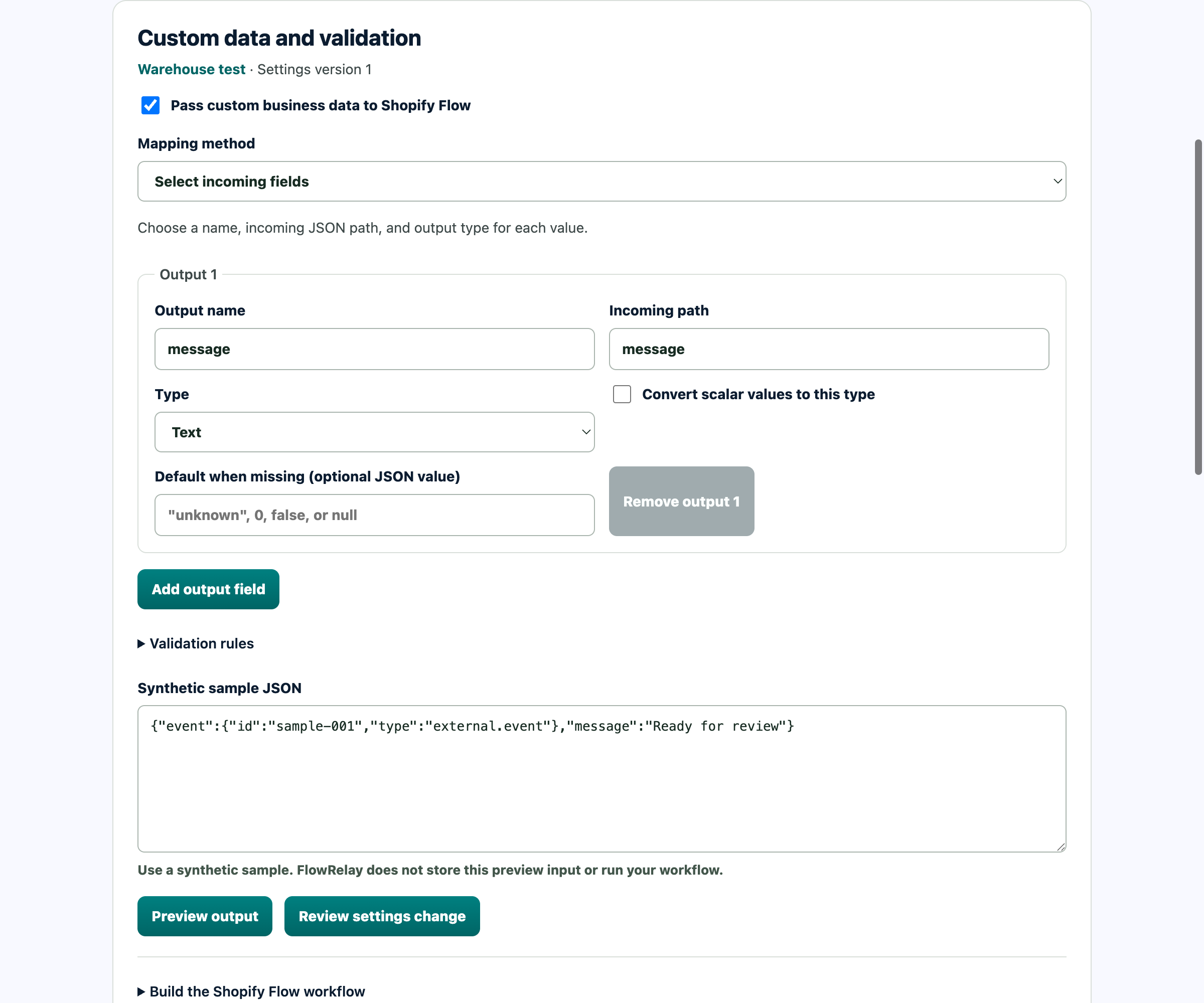
When a test needs attention
A successful sender request, a FlowRelay handoff, and a completed Shopify action are different facts. Check each one.
See authentication, mapping, and delivery outcomes. Delivered means the trigger reached Shopify Flow; check downstream actions in Flow.
Read a receipt →Review failures and the effects of replaying retained events. A replay needs a current preview and confirmation.
Understand replay →Authorize a partner or agent for a specific job, with revocable access and redacted diagnostics.
Explore Agent Access →One sender, one endpoint, one verified workflow.